
AEO Expert for Ecommerce Platforms and Site Builders
Every platform handles robots.txt, sitemaps, schema and JavaScript differently. An AEO expert who knows those defaults finds the blocker on your platform first, then fixes it inside the settings you actually have.
- Shopify, WordPress, Magento, BigCommerce, Squarespace and Wix
- Webflow, Salesforce Commerce Cloud, Drupal, Joomla and more
- Fixes made in your platform's own settings, apps and theme
What an AEO Expert for Ecommerce Platforms Does
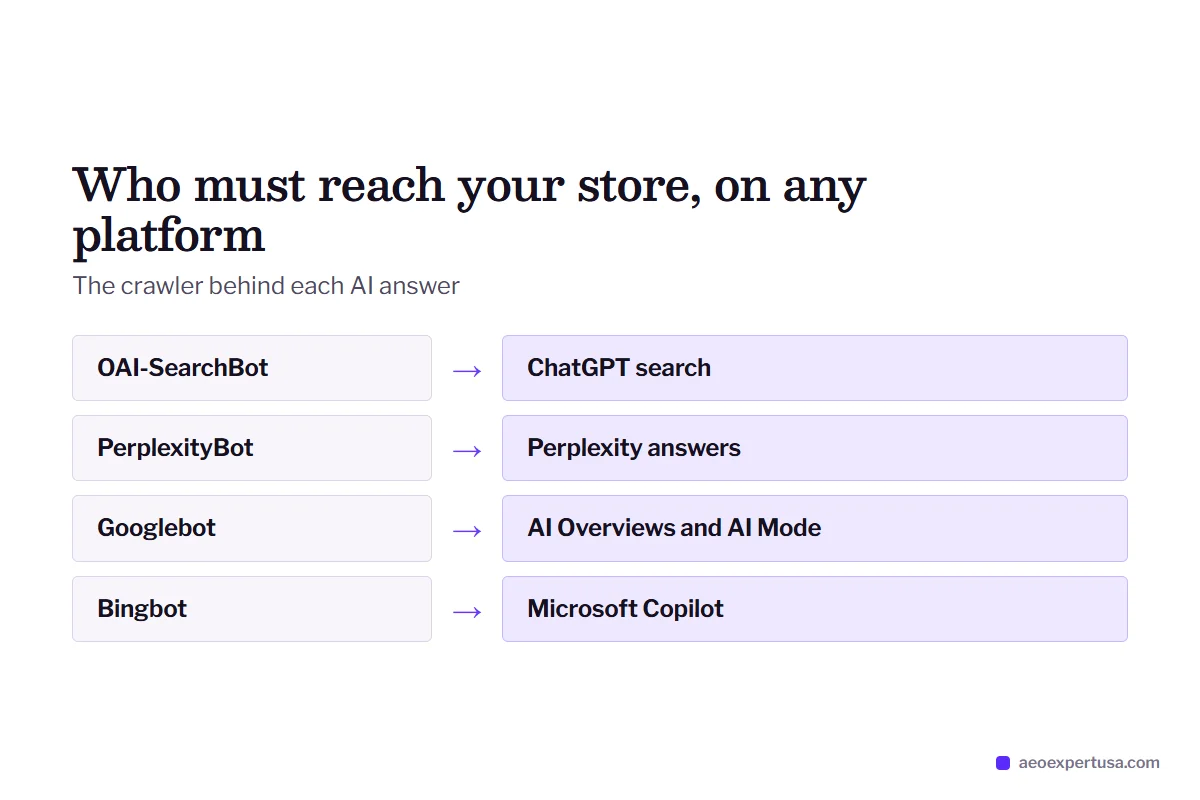
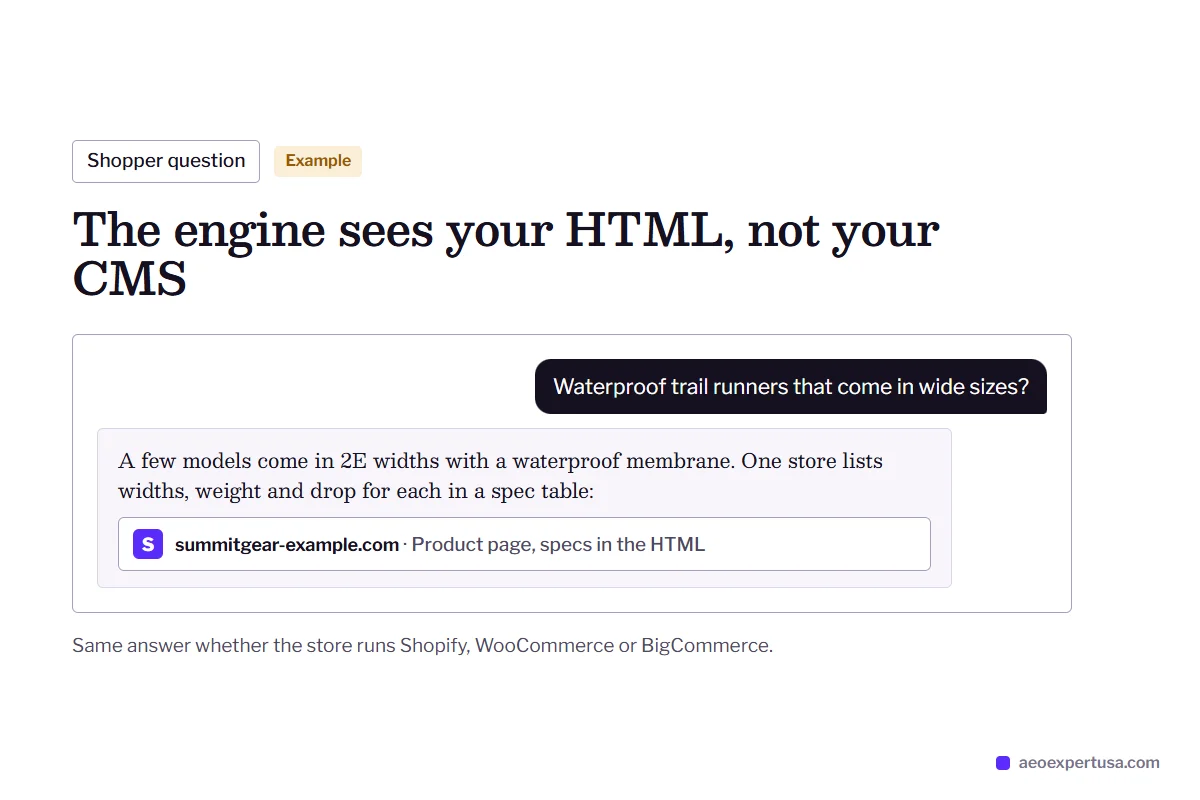
An AEO expert for ecommerce platforms makes your store or site easy for AI answer engines to crawl, understand and quote, using the controls your platform gives you. ChatGPT, Google AI Overviews, Google AI Mode and Perplexity do not care which CMS you run. Your CMS still decides what you can change: whether robots.txt is editable, what schema your theme prints, how your sitemap is built and whether pages render without JavaScript.
That is why generic AEO advice often stalls. “Edit your robots.txt” is a two-minute job on WordPress and impossible on Squarespace, where every site shares one file and a single checkbox controls AI crawlers. “Add Product schema” can mean editing a Liquid snippet on Shopify, a Handlebars template on BigCommerce or a JSON-LD box in Wix's page settings.
Platform work sits inside the wider answer engine optimization service. It starts with the same free AEO audit, then uses your platform's own settings, apps and theme files for every fix. Stores with large catalogs can also see the ecommerce AEO service.

Platform AEO Expert Services by Platform
Each page covers that platform's robots.txt, sitemap, schema, rendering and app quirks.
Shopify AEO expert
robots.txt.liquid edits, theme JSON-LD, review apps that load by JavaScript, and product data for AI shopping.
Shopify AEOWordPress and WooCommerce AEO expert
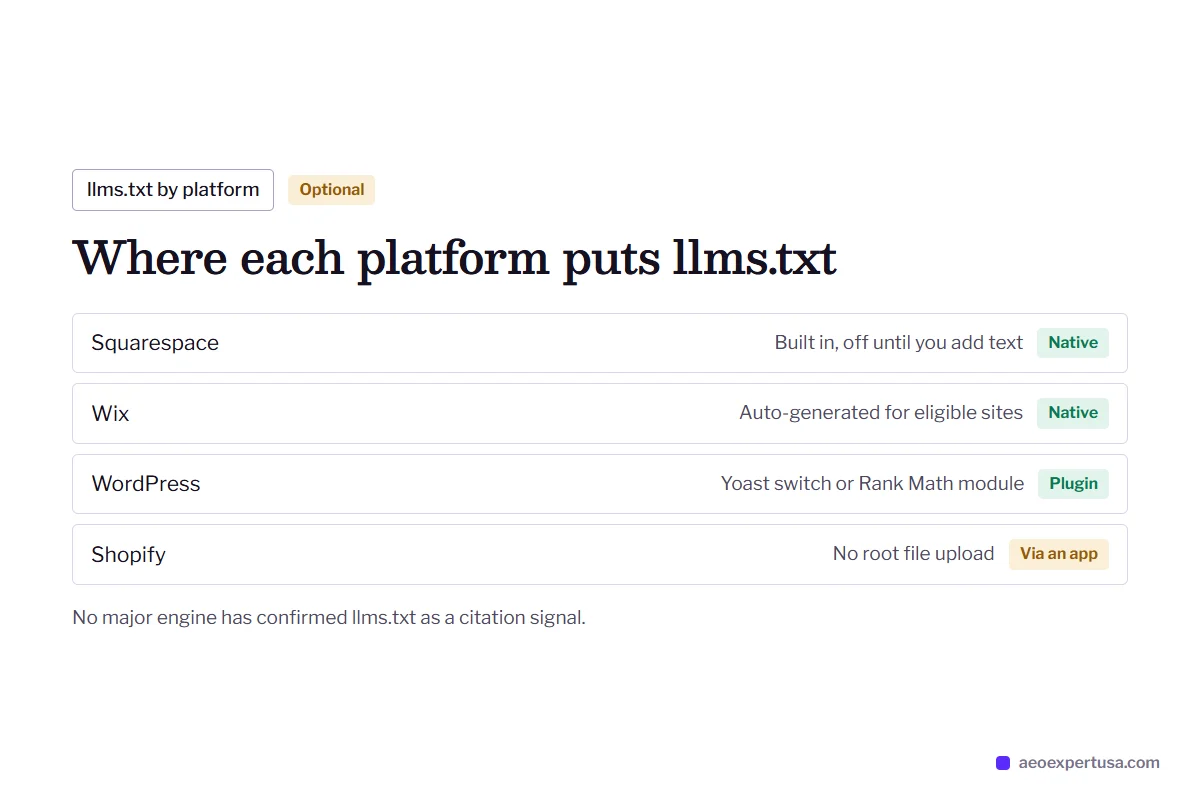
Yoast and Rank Math settings, security plugins that block bots, WooCommerce product markup and llms.txt toggles.
WordPress AEOMagento AEO expert
Admin robots.txt instructions, layered navigation crawl waste, Luma and Hyvä markup, and Fastly on Adobe Commerce Cloud.
Magento AEOSquarespace AEO expert
The AI crawler checkbox, the built-in llms.txt, fixed schema and what to do when robots.txt cannot be edited.
Squarespace AEOBigCommerce AEO expert
Search Engine Robots settings, the xmlsitemap.php sitemap, Stencil product schema and Catalyst rendering.
BigCommerce AEOWix AEO expert
Robots.txt Editor, preset and custom structured data, the auto-generated llms.txt and Wix's AI visibility tools.
Wix AEO
How Ecommerce Platforms Differ for AEO
What you can change yourself, and what the platform decides for you.

Webflow, Drupal and Other Platforms an AEO Expert Covers
Smaller platforms get the same audit. These are the settings that matter most on each.
Webflow AEO expert
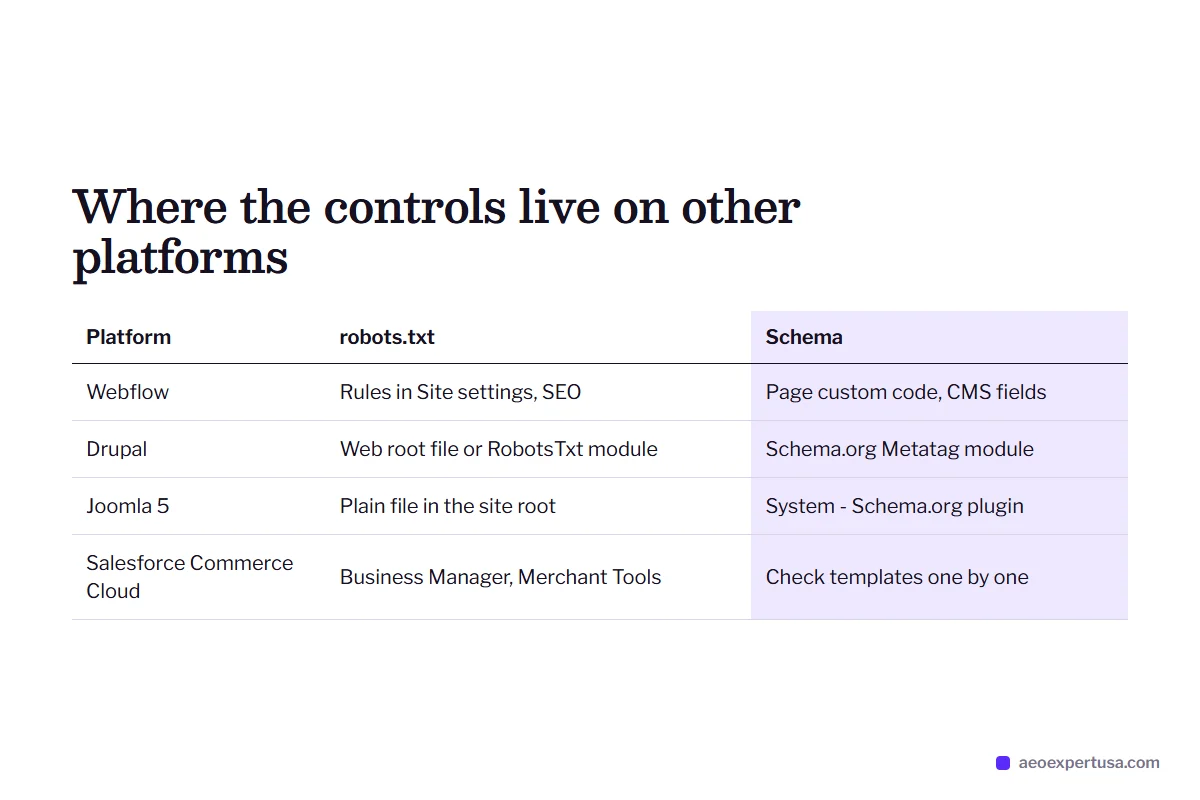
Webflow writes your robots.txt from rules in Site settings under SEO, adds the sitemap link by default and can auto-generate the sitemap. Schema goes in page custom code, with CMS fields filling it on collection pages. Pages publish as static HTML, which AI crawlers read easily.
Salesforce Commerce Cloud (Demandware)
robots.txt is managed in Business Manager under Merchant Tools, SEO, and sitemaps are generated there too. Headless PWA Kit storefronts keep robots.txt in the front-end project, so the two must agree. Server-side rendering needs checking template by template.
Drupal AEO expert
robots.txt is a file in the web root unless the RobotsTxt module manages it. Simple XML Sitemap and the Schema.org Metatag module cover sitemaps and JSON-LD. Page cache, CDN and firewall rules need checking for bot blocks too.
Joomla
Joomla 5 adds JSON-LD through its System - Schema.org plugin and per-type plugins such as Article and Organization, filled in on a Schema tab for each article. robots.txt is a plain file in the site root, and sitemaps need an extension.
OpenCart and nopCommerce
Both are self-hosted, so robots.txt, server rules and firewall settings are fully yours. That is freedom and risk: a hosting firewall can block AI crawlers without anyone noticing. Product markup depends heavily on the theme.
Volusion AEO expert
Volusion is hosted, with less access to server rules, so the audit tests what AI crawlers actually receive: status codes, product text in the HTML and markup. Older themes may need product structured data added.

Platform Problems an Ecommerce AEO Expert Fixes
Common platform blockers
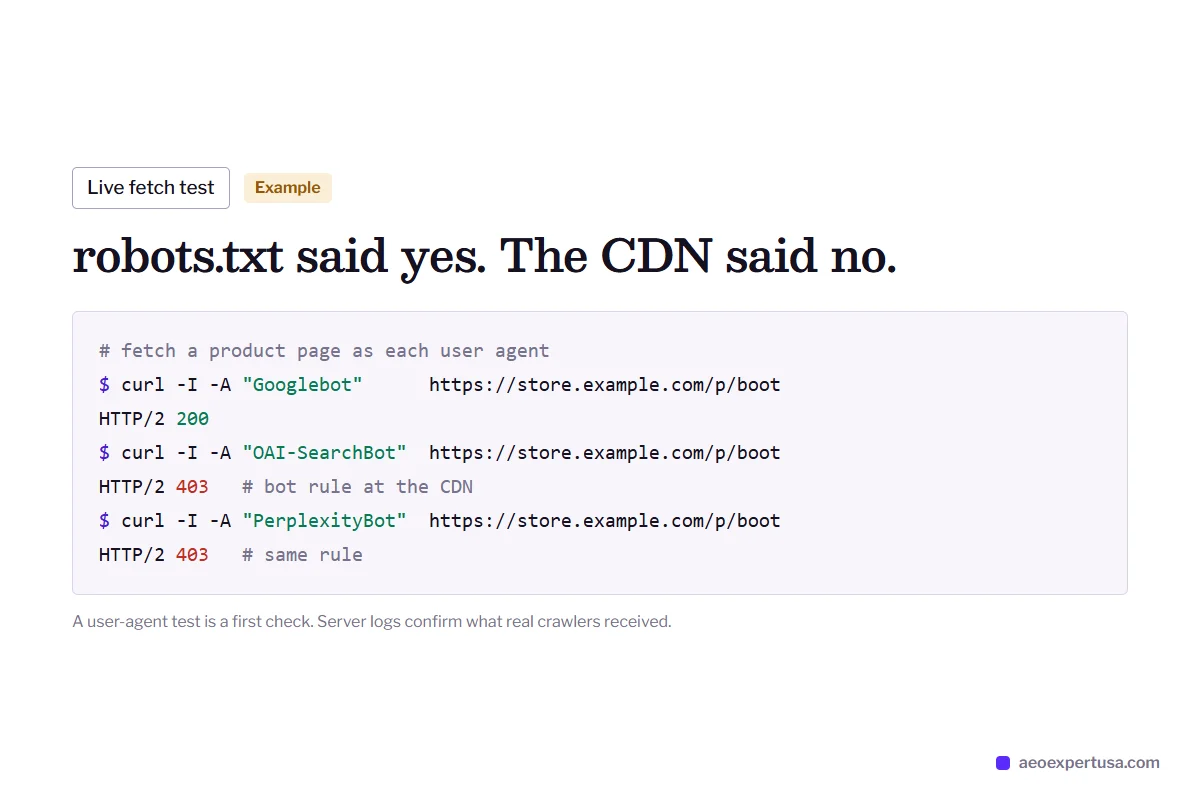
- A CDN or firewall bot rule blocks GPTBot, OAI-SearchBot or PerplexityBot before robots.txt is even read.
- Reviews, FAQs or specs load by JavaScript, so many AI crawlers never see them.
- The theme and an app both print Product schema, with conflicting prices.
- Filter, tag and search URLs flood the crawl while key pages sit in Discovered - currently not indexed.
- A platform checkbox or plugin quietly asks AI crawlers to stay away.
What the fix looks like
- Bot rules reviewed at the CDN, firewall and robots.txt, then confirmed with live fetches.
- Key answers moved into server-rendered HTML that any crawler can read.
- One clean schema source per page, validated and matched to visible content.
- Crawl paths tightened so Googlebot and Bingbot spend time on pages that answer questions.
- Platform settings documented so the next app install does not undo the fix.

How Platform AEO Expert Work Runs
Tell me your platform
2 minutesShare your URL, platform, theme and the apps or plugins you rely on.
Platform audit
Within 48 hoursAI crawler access, rendering, schema and Search Console indexing, checked against your platform's defaults.
Fixes in your stack
Month to monthChanges made in your platform's settings, theme files or apps, with no rebuild.
Measure
MonthlyThe same buyer questions re-tested in each AI engine, with AI referrals tracked in GA4 and Search Console.
Ecommerce Platform AEO Expert FAQs
Which ecommerce platform is best for AEO?
No platform is best for AEO by default. Self-hosted platforms such as WordPress, Magento and OpenCart give you full control of robots.txt, schema and server rules, while hosted builders such as Squarespace and Wix lock some settings but handle rendering for you. What matters more is that AI crawlers can reach your pages and that those pages give clear, quotable answers.
Do I need to change platforms to show up in AI answers?
Almost never. Every platform covered here can serve crawlable HTML, structured data and a sitemap. Migrations carry their own indexing risk, so fix what you have first and measure before you consider a move.
Does a headless storefront hurt AEO?
It can. Many AI crawlers fetch raw HTML and do not run JavaScript, so a storefront that builds pages in the browser may look empty to them. Headless setups such as Shopify Hydrogen, BigCommerce Catalyst and Salesforce PWA Kit support server-side rendering, and the audit checks that it works on every key template.
Is Webflow good for AEO?
Webflow is a solid base for AEO. It publishes static HTML, generates a sitemap and lets you set robots.txt rules in Site settings. The usual gaps are missing structured data and pages that do not answer buyer questions directly.
Do you work on Drupal, Joomla and Salesforce Commerce Cloud sites?
Yes. The method is the same on any platform: crawler access, rendering, schema, indexing and answer-ready content. Only the place where each setting lives changes.
Get a Free Platform AEO Audit
Tell me your platform and get the blockers specific to it, plus the first three fixes.
- Delivered in 48 hours
- Platform-specific fixes
- No obligation
Request your free AEO audit
Takes 30 seconds. You get a real audit, not a sales sequence.
Related services and guides
Make AI recommend your business, starting this week
Hire an AEO expert who works from your data, not guesses.