
Squarespace AEO Expert for Sites That Want AI Mentions
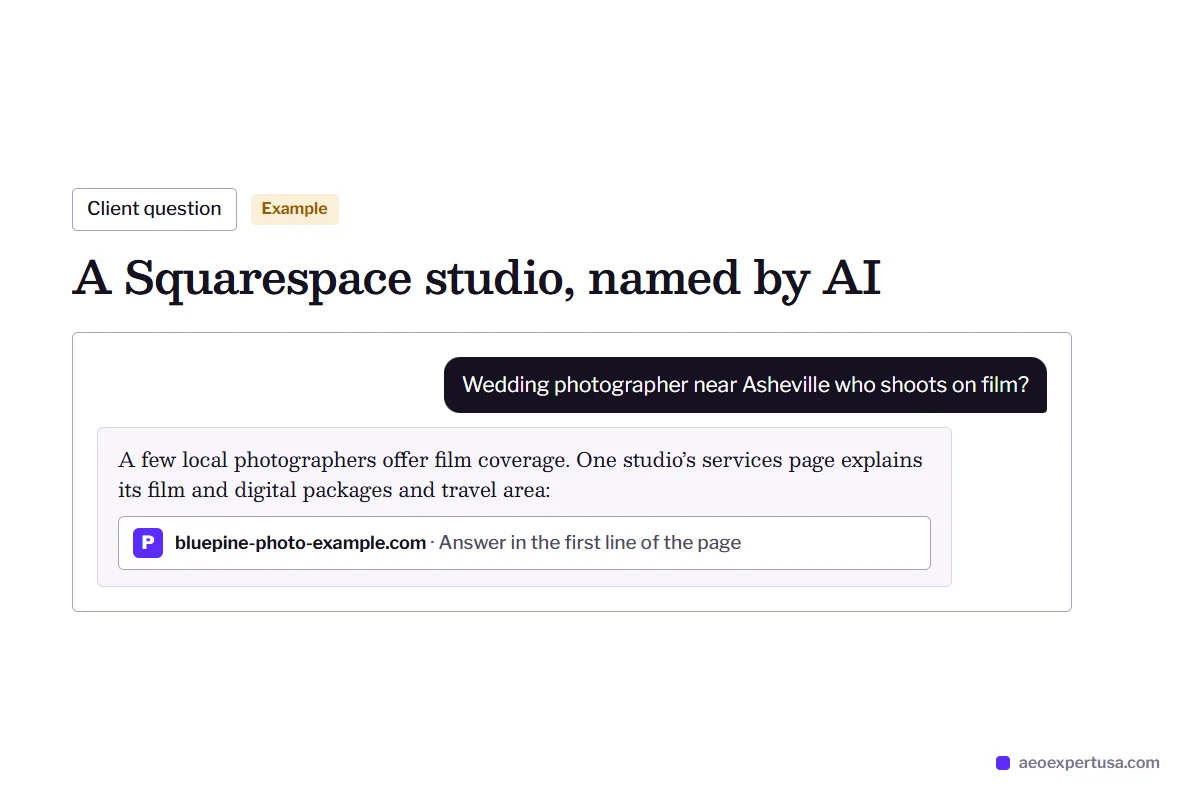
Squarespace locks robots.txt, the sitemap and most structured data, so AEO on Squarespace is less about code and more about settings, page structure and content. A Squarespace AEO expert knows which levers are left and pulls them.
- The AI crawler checkbox and Search Console checked first
- llms.txt and the AI Visibility panel set up properly
- Pages rewritten to answer the questions buyers ask AI
What a Squarespace AEO Expert Does
A Squarespace AEO expert gets a Squarespace site mentioned and cited by AI answer engines without touching code Squarespace does not let you touch. Squarespace serves one shared robots.txt that users cannot edit, builds the sitemap automatically and generates structured data for pages, blog posts, products, events and your business details. You cannot remove or rewrite that schema.
That sounds limiting, but it removes a whole class of mistakes. Squarespace pages render on the server, the sitemap stays current and the platform's own markup is valid. The work moves to three places: the few settings that control crawlers, the business facts Squarespace turns into schema, and the words on your pages.
Squarespace work is part of the wider answer engine optimization service, starts with a free AEO audit, and leans heavily on AEO content optimization.

Squarespace AEO Expert Checks, Setting by Setting
The controls Squarespace leaves you, and how each one affects AI visibility.
AI crawler checkbox
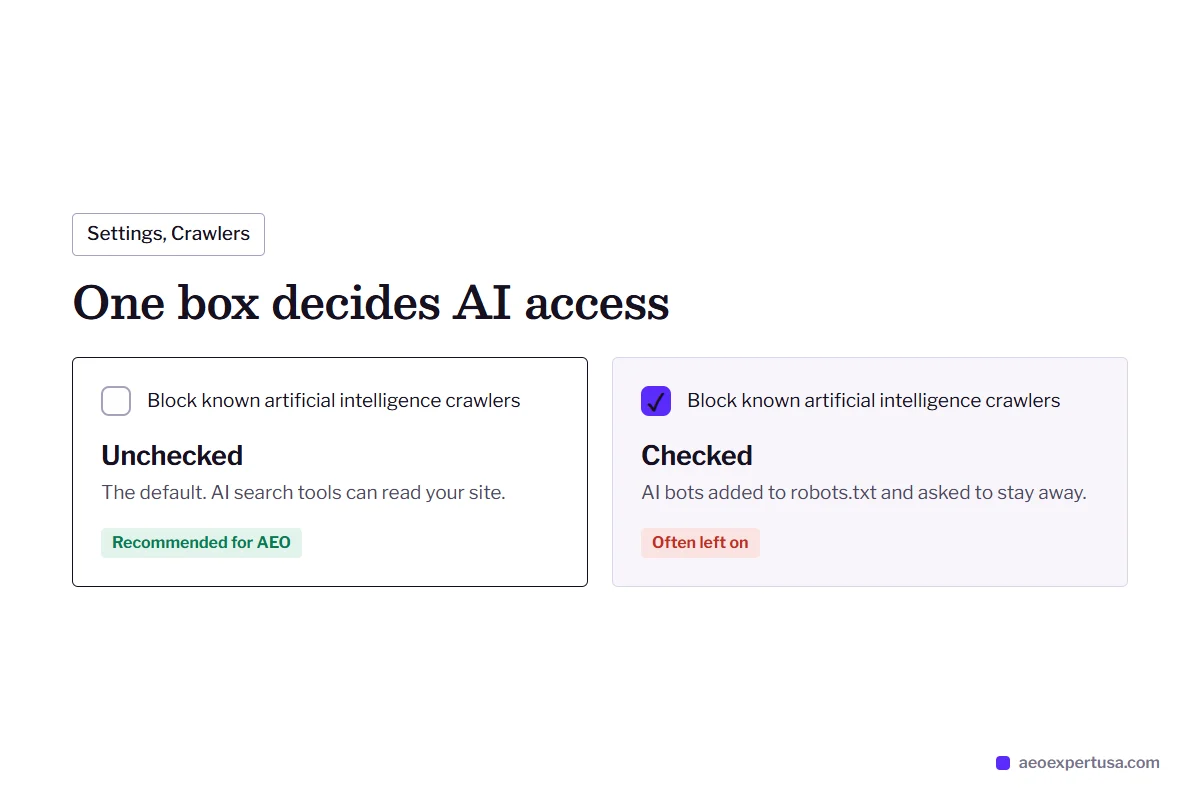
Settings, Crawlers has a box labeled Block known artificial intelligence crawlers. Checked, it adds AI bots to robots.txt as a request to stay away. Squarespace leaves it unchecked by default; if you or a designer ticked it, AI search tools are asked to skip your site.
llms.txt
Version 7.1 sites can publish an llms.txt from the SEO/AI Visibility panel, under SEO Settings, LLMS.txt. It stays off until you add text. It is optional: no major engine has confirmed llms.txt as a citation signal.
AI Visibility check
The same panel can run branded and non-branded prompts and show whether your site is mentioned. It uses AI credits, so choose prompts that match real buying questions rather than vanity ones.
Business information
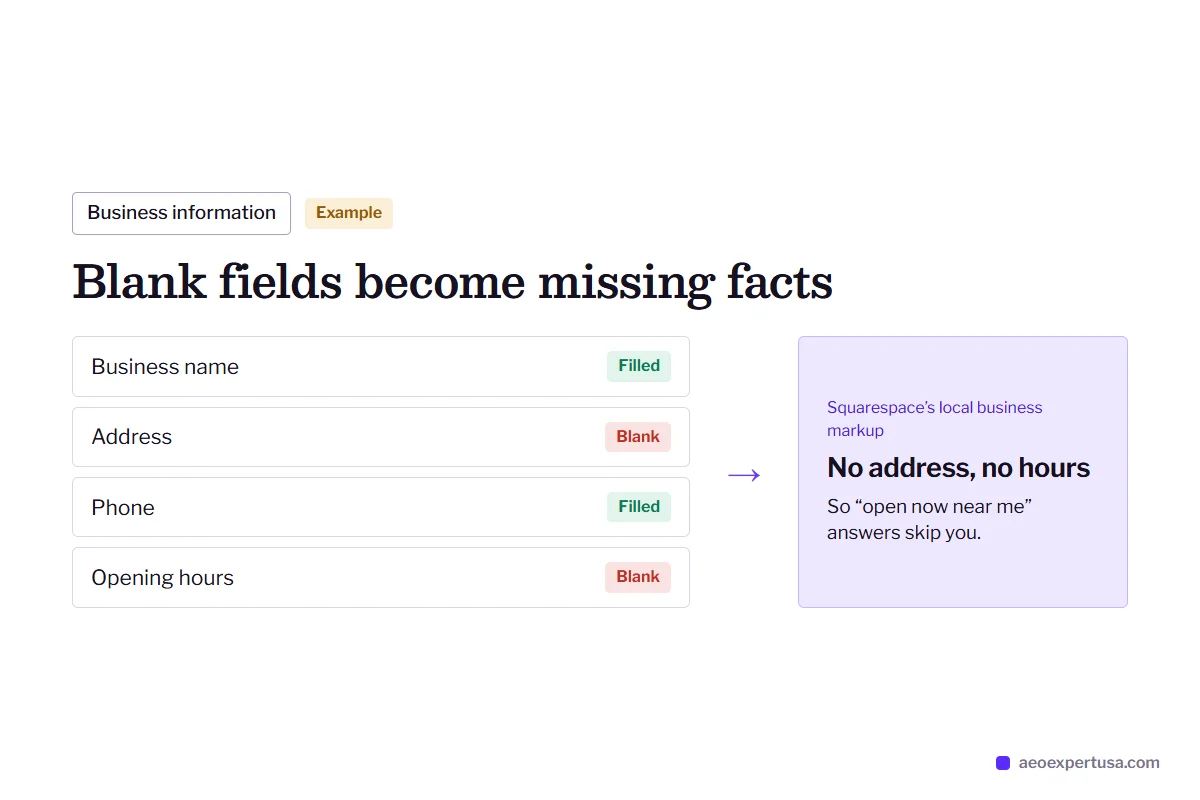
Squarespace turns your business details into its local business and organization markup. Wrong or partial details there become wrong facts in your entity record, so they get checked against your other profiles.
Code injection
Custom JSON-LD, such as Service or Person markup, needs code injection, which the entry plan does not include. Use it sparingly and never duplicate types Squarespace already prints.
Hidden pages
Any page can be hidden from search results in its SEO settings. The audit checks that no service, pricing or FAQ page has been hidden by mistake, since a hidden page cannot be indexed or cited.

Squarespace AEO Content: Where the Real Gains Are
On Squarespace, content does most of the AEO work because the technical layer is mostly fixed. Squarespace's own guidance on AI search says the same: put direct answers near the top of the page, keep paragraphs short, use clear headings and lists, and show who wrote what and when.
In practice that means service pages that open with a one-sentence answer to “what do you do and for whom”, pricing context written in words rather than locked in a PDF, and a short questions section on each key page in plain text.
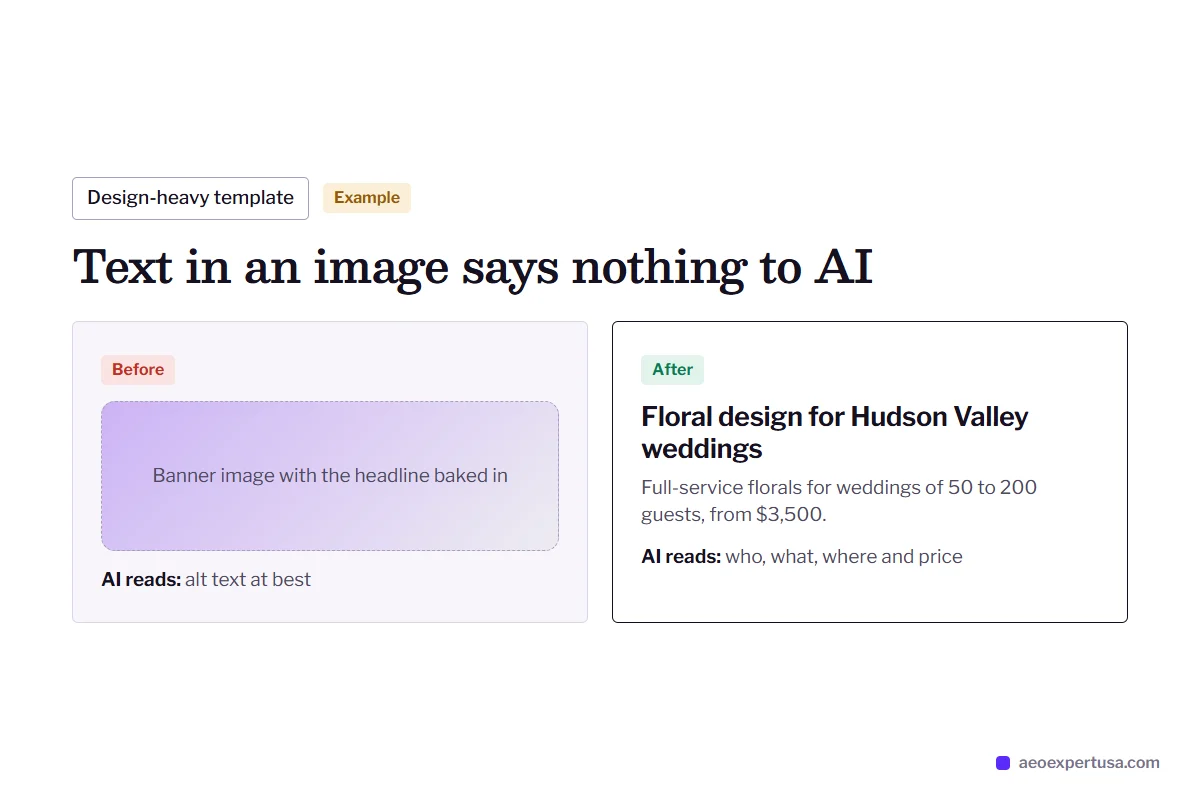
Design-heavy templates are the usual problem. Text placed inside images, and gallery pages with captions only, give AI engines nothing to quote. Moving that text into real headings and paragraphs is often the single biggest fix on a Squarespace site.

Common Problems a Squarespace AEO Expert Fixes
A typical Squarespace site
- The AI crawler box was checked during a privacy scare and never unchecked.
- Headlines and key claims are baked into banner images.
- Blog posts show no author, date or sources.
- Business information is blank, so the platform's markup has no address or hours.
After Squarespace AEO work
- AI crawlers allowed, then confirmed in the live robots.txt.
- Headings and answers rebuilt as real text blocks.
- Author bios and visible publish dates on every post.
- Business details completed so Squarespace's markup carries correct facts.
How the Squarespace AEO Expert Service Works
Choose your access
5 minutesInvite me as a contributor with the permissions you choose, or keep access yourself and follow a written fix list.
Audit
Within 48 hoursCrawler settings, the live robots.txt, Search Console indexing, schema output and live prompts in ChatGPT, AI Overviews and Perplexity.
Fix
Month to monthSettings changed, pages restructured and copy rewritten inside the Squarespace editor.
Measure
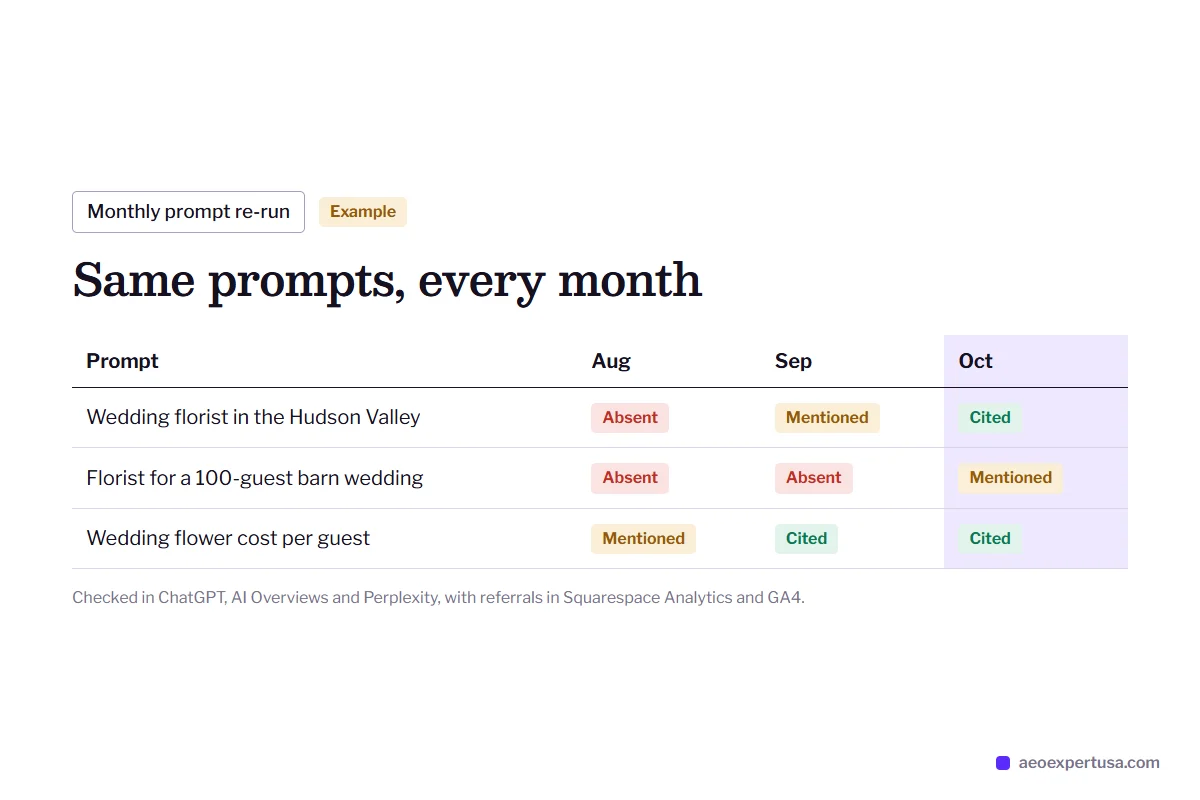
MonthlyAI referral traffic in Squarespace Analytics and GA4, and the same prompts re-run each month.
Squarespace AEO Expert FAQs
Can I edit robots.txt on Squarespace?
No. Squarespace serves the same robots.txt to every site and does not let users edit it. The only AI-related control is the Block known artificial intelligence crawlers checkbox under Settings, Crawlers, which should stay unchecked if you want AI search visibility.
Does Squarespace support llms.txt?
Yes, on version 7.1 sites. You write the text yourself under the SEO/AI Visibility panel, SEO Settings, LLMS.txt. Treat it as an optional extra, not a replacement for clear pages.
Can I add custom schema to Squarespace?
Yes, through code injection on plans that include it. Squarespace's own schema for pages, products, events and business details cannot be edited or removed, so custom markup should only add types it does not already print.
Is Squarespace bad for AEO?
No. Squarespace renders pages on the server, keeps its sitemap current and prints valid structured data. Its limits are on customization, so most Squarespace AEO gains come from settings and content rather than code.
Do I need to leave Squarespace to show up in ChatGPT?
No. Moving platforms will not fix thin content or a checked AI crawler box. Fix those first and measure for a few months before considering a migration.
Get a Free Squarespace AEO Audit
See which Squarespace settings and pages are holding back your AI visibility, and the first three fixes.
- Delivered in 48 hours
- No code changes needed to start
- No obligation
Request your free AEO audit
Takes 30 seconds. You get a real audit, not a sales sequence.
Related services and guides
Make AI recommend your business, starting this week
Hire an AEO expert who works from your data, not guesses.