
WordPress AEO Expert for WordPress and WooCommerce Sites
WordPress gives you full control, which also means more places for AI visibility to break: plugins, caching, security rules and themes. A WordPress AEO expert checks each layer and fixes it with the tools you already run.
- Yoast SEO and Rank Math settings tuned for AI search
- Security and firewall plugins checked for AI crawler blocks
- WooCommerce product data made clear enough to quote
What a WordPress AEO Expert Does
A WordPress AEO expert makes a WordPress or WooCommerce site easy for AI answer engines to crawl, understand and cite, using the plugins, theme and hosting you already have. Unlike hosted builders, WordPress hides nothing: robots.txt, schema, caching and server rules are all yours to change. That freedom is exactly why problems pile up.
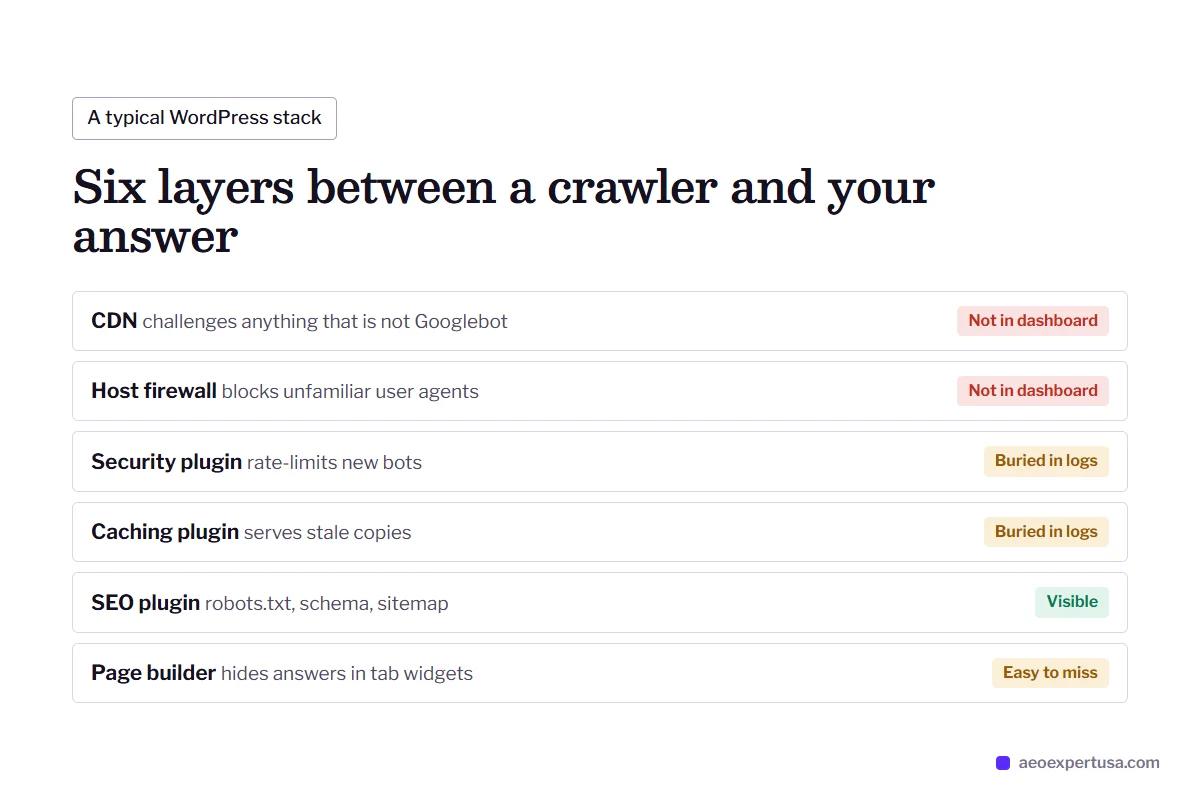
A typical WordPress site runs an SEO plugin, a caching plugin, a security plugin, a page builder and a CDN. Each one can affect AI visibility. A security plugin rate-limits unfamiliar bots. A CDN challenges anything that is not Googlebot. A page builder hides your best answer inside a tab widget. None of this shows up in the WordPress dashboard.
WordPress work is part of the wider answer engine optimization service and starts with a free AEO audit. If the site is slow or crawl-heavy, it overlaps with technical AEO.

WordPress AEO Expert Checks by Plugin and Setting
The settings that decide whether AI engines can read and trust a WordPress site.
Search engine visibility
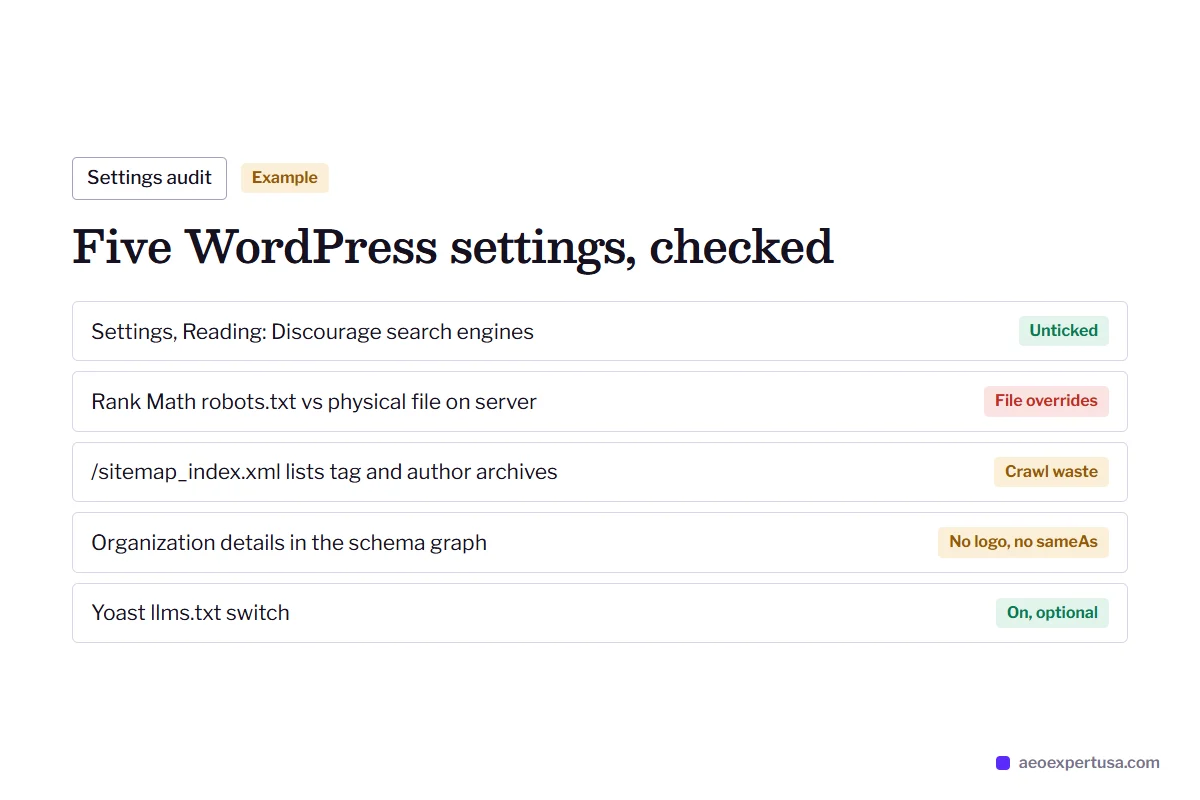
Settings, Reading has a checkbox called Discourage search engines from indexing this site. When ticked, WordPress adds a noindex robots meta tag to every page. Staging sites often go live with it still ticked.
robots.txt
WordPress serves a virtual robots.txt. Yoast edits it under Yoast SEO, Tools, File editor. Rank Math edits it under General Settings, Edit robots.txt in Advanced Mode, and a physical robots.txt file on the server overrides Rank Math's version.
Security and firewall plugins
Security plugins, Cloudflare and host-level firewalls can block or challenge GPTBot, ClaudeBot and PerplexityBot. The block never shows in robots.txt, so it has to be found in firewall logs and confirmed with a live fetch.
Schema graph
Yoast and Rank Math both output a connected JSON-LD graph: Organization or Person, WebSite, WebPage and Article. The audit checks that your organization details are complete and match your other profiles, because that graph is your entity record.
Sitemaps
WordPress core serves /wp-sitemap.xml, while Yoast and Rank Math replace it with /sitemap_index.xml. Tag, author and attachment archives often slip into the sitemap and waste crawling.
llms.txt toggles
Yoast has an llms.txt switch under Settings, Site features, and Rank Math has an LLMS Txt module. Both are optional: no major AI engine has confirmed llms.txt as a citation signal, but it costs little to turn on.

WooCommerce AEO Expert Work: Products AI Can Quote
WooCommerce prints Product structured data in JSON-LD on product pages by default, including name, price, availability and review data. SEO plugins add to it or replace parts of it, so the first job is checking that one clean Product entity reaches crawlers, with GTIN, brand and the same price the page shows.
The second job is content. A WooCommerce product page with a two-line description and a variations dropdown gives an AI engine nothing to say. Specs, compatibility, sizing and care answers belong in the visible HTML, not in tabs that load later or in downloadable PDFs.
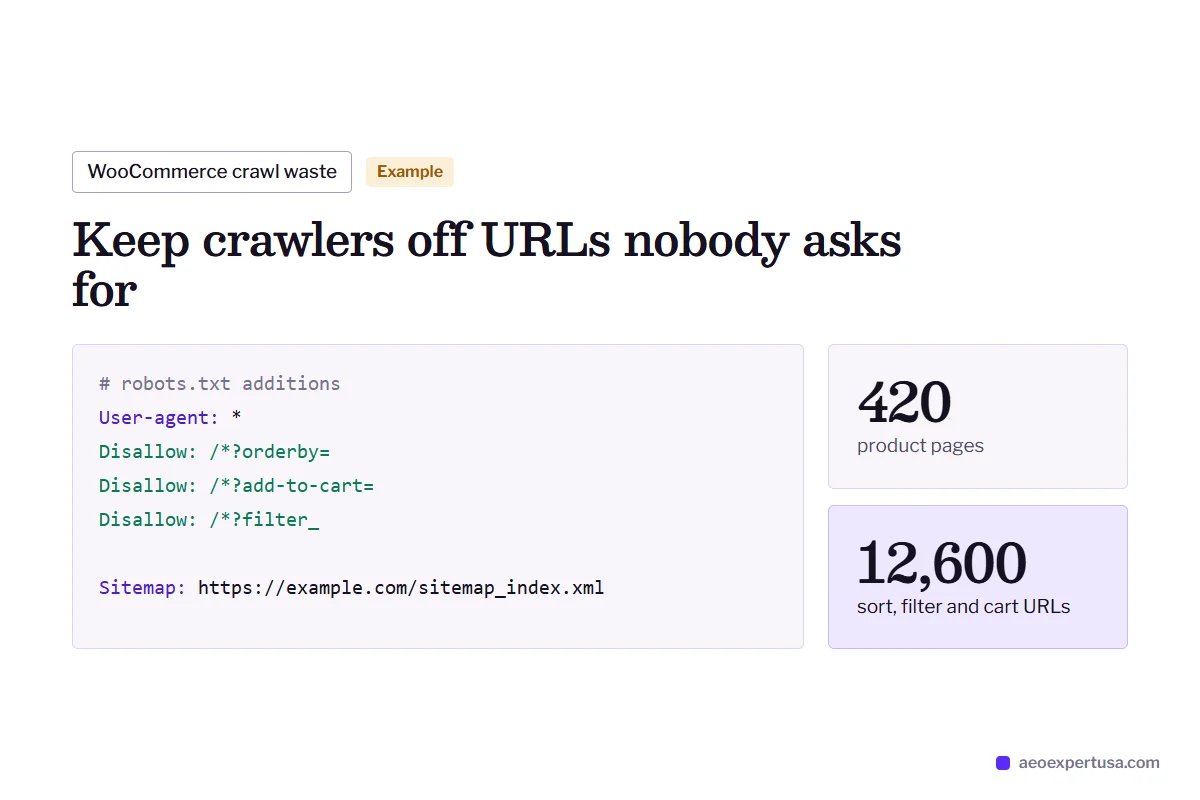
The third is crawl waste. Faceted filters, ?orderby= sort parameters and add-to-cart links can create thousands of URLs. Tightening them keeps Googlebot and Bingbot, which feed Google's AI features and Microsoft Copilot, focused on the pages that matter.

WordPress AEO Expert Fix: A Firewall Blocking AI Crawlers
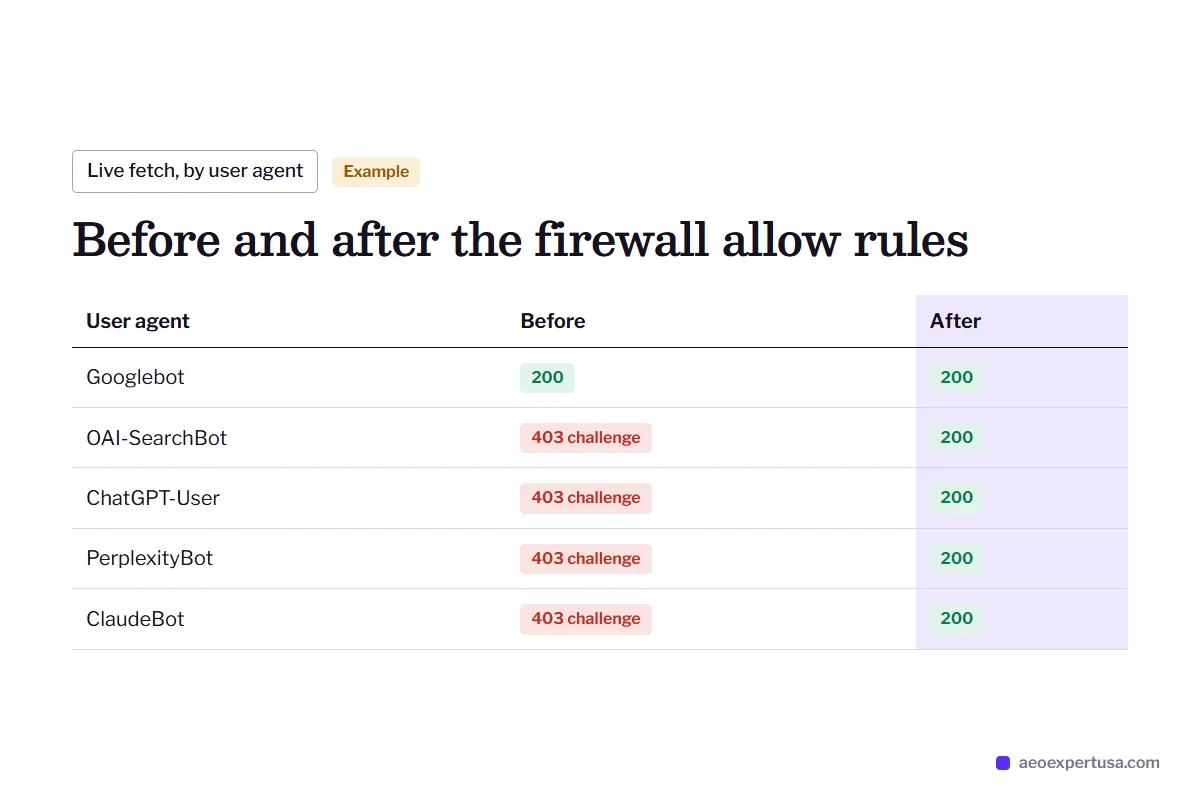
The robots.txt looks fine and Search Console is healthy, yet ChatGPT search never cites the site. The cause sits one layer down: a firewall rule that challenges any user agent it does not recognize, including OpenAI's and Perplexity's crawlers.
- Found in firewall and access logs, not in WordPress settings
- Fixed with allow rules for the AI crawlers you want
- Re-tested with live fetches as each user agent

How the WordPress AEO Expert Service Works
Share the site
5 minutesYour URL plus, if you want fixes made, a user account with the role you choose, ideally on a staging copy.
Audit
Within 48 hoursPlugins, robots.txt, firewall, schema, sitemaps and Search Console, plus live tests in each AI engine.
Fix on staging
Month to monthChanges tested on staging first where your host offers it, then pushed live.
Measure
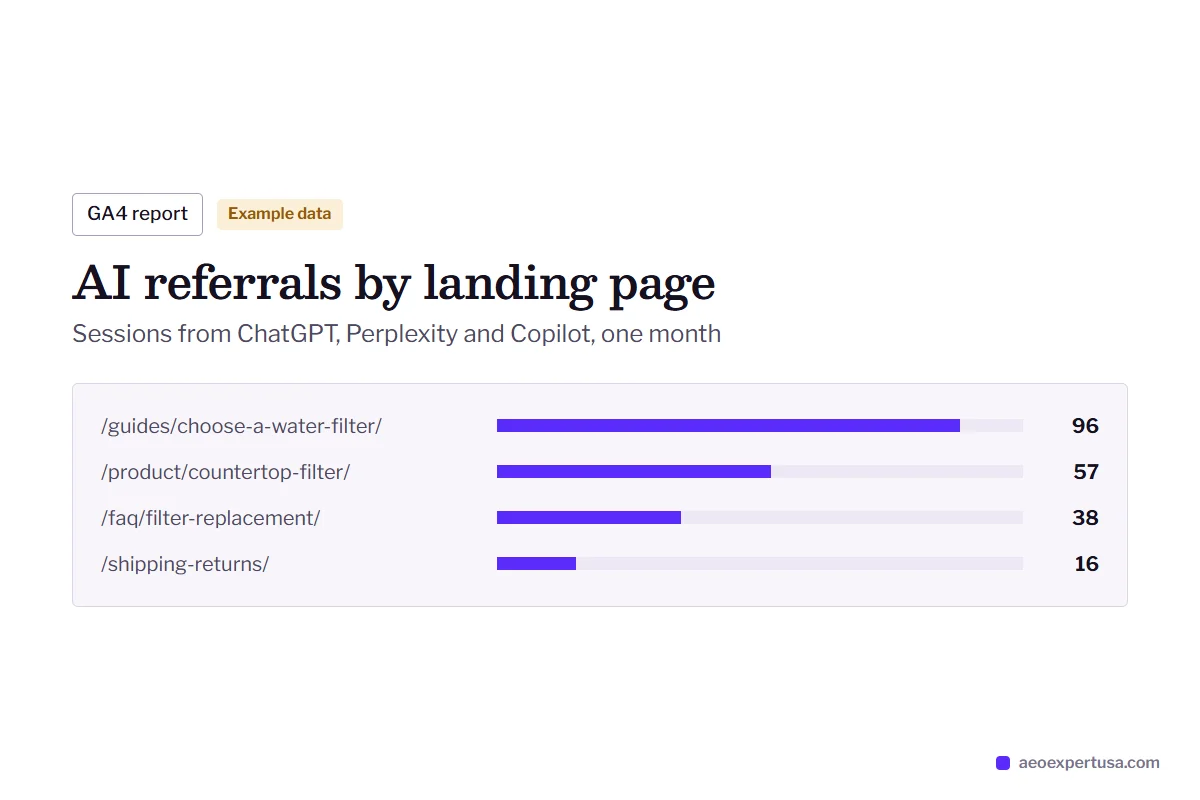
MonthlyAI referrals tracked in GA4 and citations re-tested for the same questions each month.

WordPress AEO Expert FAQs
Is Yoast or Rank Math better for AEO?
Either works. Both output a JSON-LD schema graph, both edit robots.txt and both offer llms.txt. Pick one, configure it fully and never run two SEO plugins at once, because duplicate schema and conflicting meta tags are worse than either plugin alone.
Do I need an AEO plugin for WordPress?
No. Most AEO work on WordPress is configuration and content, not another plugin. Each extra plugin adds load and another place for bot rules or schema to conflict.
Can a security plugin block ChatGPT from my site?
Yes. Firewall and bot-protection rules can block or challenge OpenAI's crawlers while robots.txt still looks perfect. The audit checks firewall logs and fetches your pages as each AI user agent to find this.
What is a Yoast AEO expert?
A Yoast AEO expert is a WordPress AEO expert who works mainly through Yoast SEO: the schema graph, the robots.txt file editor, the sitemap index and the llms.txt feature. The same method applies on Rank Math.
Do page builders hurt AEO?
Not by default. Elementor, Divi and the block editor all render HTML on the server. Problems come from content hidden in sliders or popups that load later, and from heavy pages that slow crawling.
Get a Free WordPress AEO Audit
Find out which plugin, rule or setting is keeping AI engines from your WordPress site, and the first three fixes.
- Delivered in 48 hours
- Works for WordPress and WooCommerce
- No obligation
Request your free AEO audit
Takes 30 seconds. You get a real audit, not a sales sequence.
Related services and guides
Make AI recommend your business, starting this week
Hire an AEO expert who works from your data, not guesses.